Buying a laptop for college is not as simple as choosing a popular brand or purchasing the model with the highest processor number. A laptop that works perfectly for a commerce student may not be suitable for an engineering student running CAD software or a design student editing high-resolution videos.
There are also plenty of specifications that look impressive in advertisements but make little difference to everyday academic work. A high refresh-rate display, powerful dedicated graphics card or premium processor might be useful for certain students, but they are not essential for everyone.
The smarter approach is to understand what you will actually use your laptop for before spending your money.
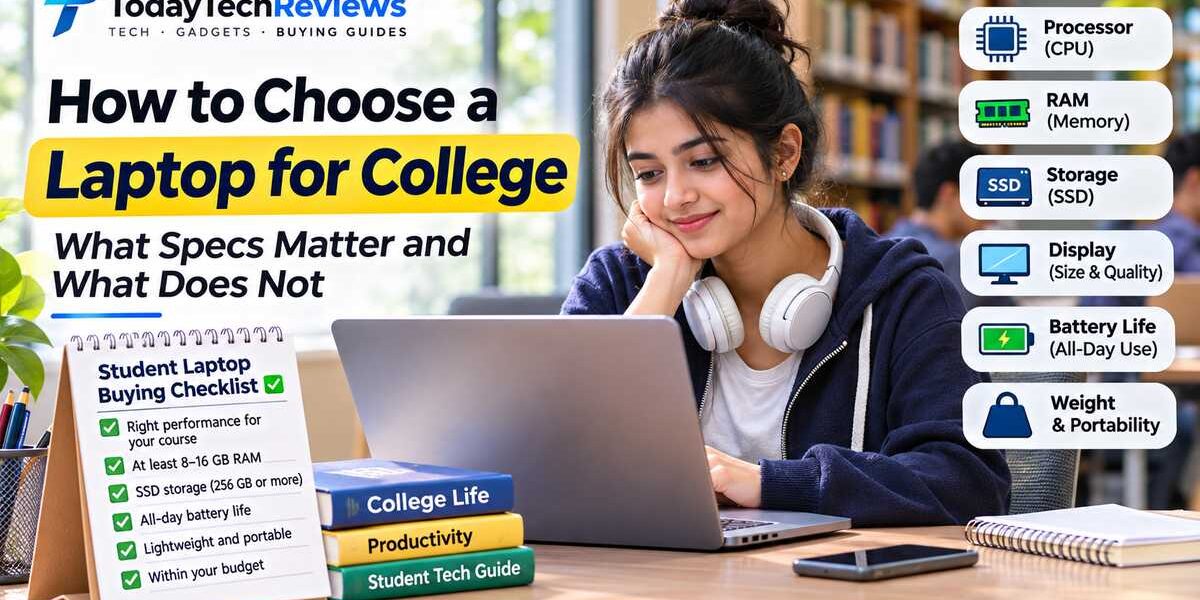
In this student laptop buying guide, we explain processors, RAM, SSD storage, graphics, displays, battery life, portability and budget considerations. We also compare configurations for different college courses so you can make a practical purchasing decision.
What Should You Look for When Buying a Laptop for College?
Before comparing laptop brands and models, identify the specifications that influence your everyday experience.
These are the main factors worth considering:
- Processor: Determines how efficiently your laptop handles applications, calculations and multitasking.
- RAM: Helps your computer manage multiple applications and browser tabs simultaneously.
- SSD storage: Affects startup, file access and application loading, while determining how much data you can store locally.
- Graphics: Important for design, 3D modelling, gaming and other graphics-intensive applications.
- Display: Influences reading comfort, productivity, colour accuracy and the overall viewing experience.
- Battery life: Determines how comfortably you can work between charging sessions.
- Weight and portability: Matter when carrying your laptop between classrooms, libraries and home.
- Keyboard and trackpad: Affect comfort during long assignments, coding sessions and note-taking.
- Connectivity: Check USB-A, USB-C, HDMI, headphone and wireless connectivity requirements.
- Warranty and service: Reliable after-sales support matters when your laptop is an important part of your education.
A balanced configuration is generally a better investment than paying extra for one impressive specification while compromising on storage, display quality or battery life.
Which Laptop Processor Is Best for College Students?
The processor, also called the CPU, is one of the most important components in a laptop. It handles instructions, calculations and many of the tasks performed by applications.
For students, the right processor depends on whether the laptop will mainly be used for documents and browsing or demanding activities such as programming, engineering applications and video editing.
Intel Core and Intel Core Ultra Processors
Intel offers several laptop processor families, including Intel Core and Intel Core Ultra. These processors appear in laptops across different performance and price categories.
Intel Core processors can be suitable for everyday productivity, office applications, web browsing and general academic work. Intel Core Ultra models offer higher-tier configurations and, depending on the specific model, additional capabilities such as integrated graphics improvements and dedicated AI processing through an NPU.
Do not choose a laptop simply because its advertisement says Core i5, Core i7 or Core Ultra 7. Check the exact processor model, generation, power category and specifications.
For example, a power-efficient processor designed for a thin laptop may behave differently from a higher-performance processor installed in a larger laptop with better cooling.
AMD Ryzen Processors
AMD Ryzen processors are another popular option in student laptops. They are available in different configurations, from everyday productivity systems to high-performance laptops.
Many Ryzen laptop processors also include integrated Radeon graphics, which can handle general computing and selected creative workloads without a separate graphics card.
When comparing Ryzen laptops, check the exact processor series, model number, core configuration, graphics capabilities and power requirements.
Apple M-Series Processors
Apple’s M-series processors power MacBook computers. They combine CPU, graphics and other processing capabilities within Apple’s system-on-chip architecture.
MacBooks can be attractive for students who value portability, battery efficiency, display quality and integration with other Apple devices.
However, students should check software compatibility before purchasing a MacBook. Some engineering, architecture and specialised Windows applications may require Windows-specific environments or have different levels of support on macOS.
What Do Processor Cores and Threads Mean?
A processor core is a processing unit that performs computing tasks. Threads represent execution paths that help a processor manage workloads.
More cores can help with applications designed to perform multiple tasks simultaneously. However, additional cores do not automatically make every application faster.
For everyday academic activities such as browsing, presentations, video calls and document editing, a modern mainstream processor is often sufficient.
For software development, simulations, rendering and other demanding workloads, a higher-performance processor may be worth the additional investment.
Processor Recommendations by Student Usage
| Student usage | Processor requirement | Buying advice |
|---|---|---|
| Basic academic work | Modern entry-level processor | Prioritise reliability and battery life. |
| Business and commerce | Modern mainstream processor | Focus on multitasking and office applications. |
| Programming | Modern mid-range processor | Consider development tools and virtualisation requirements. |
| Engineering | Performance suited to course software | Check the requirements of CAD and simulation applications. |
| Video editing and design | Higher-performance processor | Consider graphics, memory and display quality too. |
Buying tip: Compare complete laptop configurations rather than processor names alone. Cooling, power limits, RAM and graphics can all affect real-world performance.
How Much RAM Does a Student Laptop Need?
RAM, or Random Access Memory, is temporary memory that your laptop uses while running applications. It helps the computer manage multiple tasks without repeatedly relying on slower storage.
Imagine attending an online class while keeping a presentation open, researching information in several browser tabs and taking notes. These activities all use memory.
If your laptop has insufficient RAM for your workload, you may experience slowdowns when switching between applications.
8GB vs 16GB vs 32GB RAM
| RAM capacity | Suitable usage | Recommendation |
|---|---|---|
| 8GB | Basic browsing, documents and light academic tasks | Entry-level option when the workload is modest |
| 16GB | Multitasking, programming and general college work | Recommended starting point for many students |
| 24GB–32GB | Creative applications, development environments and demanding workloads | Useful for heavier requirements |
| 64GB or more | Large datasets, multiple virtual machines and specialised professional work | Only necessary for specific workloads |
Should You Buy a Laptop With Upgradeable RAM?
Some laptops allow users to upgrade RAM, while others use soldered memory that cannot be replaced or expanded in the usual way.
This distinction matters because your requirements may change during your college years. You might start with basic coursework and later use development environments, design applications or virtual machines.
Before purchasing, check:
- Whether RAM is soldered or upgradeable.
- Whether the laptop has an available memory slot.
- The maximum supported memory capacity.
- The supported memory type and speed.
- Whether upgrading RAM affects the warranty.
Our recommendation: If your budget allows, 16GB RAM is a sensible starting point for many college students. Choose more when your course software genuinely requires it.
Is 256GB or 512GB SSD Better for College?
Storage determines how much information you can keep on your laptop, including documents, applications, photos, videos, downloads and academic projects.
For a college laptop, SSD storage is generally preferable to a traditional mechanical HDD because it provides faster file access and application loading.
What Is an SSD?
An SSD, or Solid State Drive, stores information using flash memory. Unlike a traditional HDD, it does not depend on spinning mechanical disks to access data.
Many modern laptops use NVMe SSDs, which communicate through the PCIe interface. They can provide high data-transfer performance, although actual speeds depend on the drive and laptop configuration.
How Much Storage Do Students Need?
| Storage capacity | Suitable for |
|---|---|
| 256GB SSD | Basic academic work with cloud or external storage. |
| 512GB SSD | A practical starting point for many students. |
| 1TB SSD | Large projects, media files, software and development tools. |
| 2TB SSD | Specialised workloads requiring substantial local storage. |
A student who mainly uses Google Docs, Microsoft Office and web-based applications may manage with 256GB. However, installing development tools, design software, games and storing large project files can consume space quickly.
For many students, a 512GB SSD offers a comfortable balance between capacity and cost.
Can Cloud Storage Replace Laptop Storage?
Cloud storage services can help students access documents across multiple devices and reduce the need to keep every file locally.
However, cloud storage should not be treated as a complete replacement for internal storage. Large applications, offline documents and software projects may still require local space.
Check whether the laptop allows SSD upgrades before purchasing if you expect your storage requirements to increase.
Do College Students Need a Dedicated Graphics Card?
Not every student needs a dedicated graphics card. For many academic activities, integrated graphics are sufficient.
Understanding the difference between integrated and dedicated graphics can help you avoid spending money on unnecessary hardware.
What Are Integrated Graphics?
Integrated graphics are built into the processor or system-on-chip. They use system resources, including shared memory, to handle visual processing.
They are generally suitable for:
- Web browsing and online classes.
- Microsoft Office applications.
- Document editing and presentations.
- Video streaming.
- General programming.
- Basic photo editing.
What Is a Dedicated Graphics Card?
A dedicated GPU is a separate graphics processor with its own graphics memory in many laptop configurations. It is designed to handle graphics-intensive workloads.
Dedicated graphics may be useful for:
- 3D modelling and rendering.
- Computer-aided design (CAD).
- Architecture and visualisation.
- Advanced video editing.
- Game development.
- GPU-accelerated applications.
For example, an engineering student working with demanding 3D CAD software may need a dedicated GPU if the application requirements specify one. A commerce student working mainly with spreadsheets and presentations is unlikely to benefit from paying extra for gaming-class graphics.
Important: Check the recommended hardware requirements of the exact applications used in your course. Not every engineering or creative application requires the same graphics capabilities.
What Display Size Is Best for a College Laptop?
Your laptop display is something you will look at every day. Whether you are attending lectures, reading research papers, editing presentations or writing assignments, display comfort matters.
Choosing the right screen size involves balancing portability, working space and viewing comfort.
| Display size | Advantages | Considerations |
|---|---|---|
| 13-inch | Compact and easy to carry | Smaller workspace |
| 14-inch | Good balance between portability and usability | May feel compact for extensive multitasking |
| 15.6-inch | Comfortable working space | Usually larger and heavier |
| 16-inch | More room for creative and productivity work | Less convenient for frequent travel |
Full HD, IPS and OLED: What Should You Choose?
Full HD, typically 1920 × 1080 pixels, is a practical resolution for many college laptops. It provides sufficient detail for documents, browsing and everyday productivity.
IPS displays generally offer useful viewing angles and are common in productivity laptops. OLED displays can provide deep blacks and strong contrast, which may be attractive for media consumption and creative work.
However, do not choose a display based on panel technology alone. Review brightness, reflections, resolution and colour accuracy.
Students studying graphic design, photography or video production should pay particular attention to colour coverage and accuracy.
Does Refresh Rate Matter for College?
Refresh rate describes how frequently the screen updates its image each second. A 60Hz display refreshes 60 times per second, while a 120Hz display refreshes twice as frequently.
Higher refresh rates can make scrolling and animations appear smoother, but they are not essential for ordinary academic work.
If your budget is limited, prioritise a comfortable, bright display over a high refresh rate.
How Important Is Battery Life for College Students?
Battery life can make a significant difference when you carry your laptop between classrooms, libraries, hostels and home.
Students may need to attend lectures, take notes, join online meetings and work on assignments without having access to a charging point throughout the day.
When comparing laptop batteries, consider the following:
- Battery capacity: Usually measured in watt-hours (Wh). A larger battery can provide more energy, although capacity alone does not determine battery life.
- Processor efficiency: Different processors and laptop configurations consume different amounts of power.
- Display: Brightness, resolution, refresh rate and panel technology influence power consumption.
- Background applications: Continuous synchronisation and demanding software can reduce battery life.
- Usage pattern: Video editing, gaming and intensive workloads usually consume more power than reading documents.
Be careful when reading manufacturer battery claims. Advertised battery life is usually based on specific test conditions, and your actual experience may differ.
Where possible, read independent reviews that explain their battery testing methods and brightness settings.
Buying tip: A lightweight laptop with efficient hardware and a dependable battery can be more useful for everyday college life than a powerful laptop that needs frequent charging.
How Much Should You Spend on a College Laptop in India?
There is no universal budget for a student laptop. The amount you should spend depends on your course, applications, hardware requirements and how long you expect to use the computer.
The following ranges are indicative planning categories from this buying guide, not verified current retail prices or guaranteed product specifications.
| Budget range | Expected usage |
|---|---|
| Under ₹30,000 | Basic academic tasks, with possible compromises in performance, display or build quality. |
| ₹30,000–₹45,000 | Everyday college work and general productivity. |
| ₹45,000–₹65,000 | More capable multitasking and programming configurations. |
| ₹65,000–₹90,000 | Advanced academic workloads and selected creative applications. |
| ₹90,000 and above | Premium portability, professional creative workloads or specialised performance. |
Actual prices vary by brand, processor, RAM, storage, display, retailer, discounts and availability.
How Should You Allocate Your Laptop Budget?
Instead of spending your entire budget on a premium processor, look at the complete configuration.
For many general college students, a balanced system with a modern processor, 16GB RAM, 512GB SSD, a comfortable Full HD display and good battery life is a sensible target.
Engineering, architecture and multimedia students should allocate more of their budget to the components required by their course software.
Remember that buying a laptop is not just about the purchase price. Consider warranty coverage, accessories, repair support and possible storage or memory upgrades.
What Laptop Specifications Do Students Actually Need?
Use this comparison to understand how laptop configurations can differ according to academic requirements.
| Specification | Basic student | General college student | Advanced student |
|---|---|---|---|
| Processor | Modern entry-level | Modern mid-range | Higher performance as required |
| RAM | 8GB | 16GB | 16GB–32GB or more |
| Storage | 256GB SSD | 512GB SSD | 1TB SSD or more |
| Graphics | Integrated | Integrated or dedicated as required | Dedicated if applications require it |
| Display | Full HD | Good-quality Full HD or better | Higher-quality panel for creative work |
| Battery | Practical daily usage | Good real-world battery life | Depends on performance requirements |
| Weight | Portable preferred | Approximately 1.3–1.8 kg as a useful target | Depends on hardware requirements |
This table is an indicative buying guide, not a universal technical standard. Actual requirements depend on the software you use and the specific laptop configuration.
Which Laptop Is Best for Different College Courses?
Different courses require different types of software and computing resources. A student should start by checking their institution’s recommended hardware requirements.
Arts and Humanities Students
Arts and humanities students generally work with documents, presentations, research papers, web applications and online learning platforms.
Prioritise:
- A lightweight laptop.
- A comfortable keyboard.
- Good battery life.
- A quality Full HD display.
- 8GB or preferably 16GB RAM, depending on usage.
- 256GB or 512GB SSD storage.
A dedicated graphics card is usually unnecessary for these workloads.
Commerce and Management Students
Commerce and management students often work with spreadsheets, presentations, accounting applications, business software and browser-based tools.
A modern mainstream processor, 16GB RAM and a 512GB SSD provide a practical configuration for many students.
Pay attention to keyboard comfort and display quality, especially if you spend long hours working with spreadsheets and documents.
Computer Science and IT Students
Computer science students may use programming editors, compilers, databases, development environments and virtual machines.
Consider:
- A capable modern processor.
- 16GB RAM as a practical starting point.
- 512GB SSD or more.
- Good keyboard quality.
- Compatibility with required development tools.
Students working with multiple virtual machines, large projects or demanding development environments may benefit from 32GB RAM or higher.
Engineering Students
Engineering requirements vary significantly between mechanical, civil, electrical, computer and other engineering disciplines.
Some students mainly use programming and office applications, while others need CAD, simulation and modelling software.
Before purchasing, check the recommended system requirements for the exact applications prescribed by your college.
For demanding engineering workloads, processor performance, RAM, graphics capabilities and cooling can all matter.
Graphic Design and Multimedia Students
Graphic design and multimedia students should pay particular attention to display quality, colour accuracy and application performance.
Useful specifications may include:
- 16GB–32GB RAM depending on workload.
- 512GB or 1TB SSD storage.
- A good-quality display with reliable colour reproduction.
- A capable processor.
- Dedicated graphics when required by editing or 3D applications.
For professional design work, a good display may be more valuable than an unnecessarily high refresh rate.
What Laptop Specifications Do Not Matter as Much as You Think?
Manufacturers often highlight impressive numbers to attract buyers. However, not every premium specification translates into a better college experience.
1. An Expensive Processor Is Not Always Necessary
Buying a high-end processor may be unnecessary if your daily activities involve browsing, documents, presentations and online classes.
A well-balanced mid-range laptop may offer better overall value.
2. A High Refresh Rate Is Not Essential
A 120Hz or 144Hz display can provide smoother motion, but it is not a requirement for writing assignments or attending lectures.
3. A Gaming Laptop Is Not a Requirement for Every Student
Gaming laptops often include powerful processors and dedicated graphics, but they can be heavier and may offer shorter battery life under demanding workloads.
Only choose one when your course software, creative work or gaming requirements justify it.
4. More Processor Cores Do Not Automatically Mean Better Performance
Application design, processor architecture, power limits and cooling all influence performance. Do not compare processors using core counts alone.
5. Brand Popularity Should Not Decide Your Purchase
A popular laptop brand does not guarantee that every model offers good value. Compare the actual specifications, build quality, warranty and service support of the model you intend to purchase.
6. Do Not Ignore Upgradeability
A thin laptop may look attractive, but soldered memory and limited storage upgrade options can affect long-term flexibility.
Check the exact configuration before making your decision.
7. Do Not Trust Advertised Battery Life Without Context
Battery life depends on brightness, applications, wireless connectivity and workload. Independent testing is more useful than relying only on manufacturer claims.
Common Mistakes to Avoid When Buying a Student Laptop
Students often focus on the processor and price while overlooking other important details.
Here are ten common mistakes to avoid:
- Ignoring course requirements: Check the software your institution expects you to use.
- Buying insufficient RAM: Consider how many applications you normally run together.
- Choosing limited storage: Account for software, downloads, projects and personal files.
- Ignoring laptop weight: A heavy laptop can become inconvenient when carried every day.
- Overlooking battery life: Check independent reviews rather than relying only on advertised figures.
- Not checking warranty coverage: Understand service availability and warranty conditions.
- Buying outdated configurations: Compare exact processor models instead of relying on old model names.
- Ignoring upgradeability: Check whether memory and storage can be expanded.
- Not checking return policies: Review seller policies before ordering.
- Buying only because of a discount: Compare the complete specifications and overall value.
Student Laptop Buying Checklist
Before placing your order, use this checklist to make sure you have considered the important details.
- Confirm the laptop meets your college’s software requirements.
- Check the exact processor model and generation.
- Verify RAM capacity and upgradeability.
- Check SSD capacity and interface.
- Review display resolution, brightness and panel quality.
- Read independent battery reviews.
- Compare laptop weight and build quality.
- Check USB-A, USB-C, HDMI and headphone ports.
- Verify Wi-Fi and Bluetooth connectivity.
- Review warranty and service availability.
- Compare final prices across authorised sellers.
- Read independent reviews of the exact laptop configuration.
What This Means for You: Choosing the Right College Laptop
The best laptop for students is not necessarily the most expensive or the most powerful model. It is the one that meets academic requirements without wasting money on hardware you will rarely use.
If you are studying arts, humanities or commerce, prioritise portability, keyboard comfort, memory and battery life.
If you are studying computer science, look for a capable processor, sufficient RAM and enough SSD storage for development tools.
If you are studying engineering, architecture or multimedia, verify the software requirements before deciding whether dedicated graphics and additional memory are necessary.
For many general college students, a balanced configuration with a modern mid-range processor, 16GB RAM, 512GB SSD and a comfortable display is a sensible starting point.
Most importantly, choose based on the next few years of academic use, not just the specifications that look impressive today.
Frequently Asked Questions About the Best Laptop for Students
1. What is the best laptop for students in India?
The best laptop for students in India depends on the course, budget and software requirements. For many general college students, a modern processor, 16GB RAM, 512GB SSD, a good Full HD display and dependable battery life provide a balanced configuration. Engineering and design students should check their software requirements before buying.
2. Is 8GB RAM enough for college students?
8GB RAM can be sufficient for basic academic work, document editing, browsing and online classes. However, students who multitask, use programming tools or run demanding applications may benefit from 16GB RAM or more.
3. Is 16GB RAM better for a student laptop?
For many students, 16GB RAM offers a useful balance between multitasking capability and cost. It is particularly helpful when running several browser tabs, office applications, coding tools and video conferencing software simultaneously.
4. Is an Intel Core i5 laptop good for college?
An Intel Core i5 laptop can be suitable for many college activities, but the exact processor generation, model, power category and laptop configuration matter. Compare the complete specifications rather than choosing based only on the Core i5 label.
5. Is a MacBook suitable for college students?
A MacBook can be a good option for students who value portability, battery efficiency, display quality and the Apple ecosystem. However, check whether your college applications support macOS before purchasing, especially if you need specialised Windows engineering or technical software.
6. Is a gaming laptop necessary for engineering students?
No. Not every engineering student needs a gaming laptop. Some engineering applications run well on integrated graphics, while demanding CAD, 3D modelling and simulation workloads may require dedicated graphics. Check the exact application requirements before deciding.
7. How much SSD storage is enough for college?
A 512GB SSD is a practical starting point for many college students. A 256GB SSD may be sufficient for basic academic work with cloud storage, while students handling large software installations, video projects and development environments may prefer 1TB or more.
8. How many years should a college laptop last?
A well-maintained laptop can serve a student for several years, but its useful lifespan depends on hardware quality, workload, battery condition, software requirements and maintenance. Choose specifications that can comfortably handle your expected academic needs and consider warranty and repair support.
Final Thoughts
Choosing a laptop for college is an investment in your everyday learning, productivity and academic work. Instead of buying based on brand popularity or marketing claims, focus on the specifications that genuinely affect your requirements.
Understand your processor needs, choose sufficient RAM, select suitable SSD storage and pay attention to display quality, battery life and portability. Students working with specialised applications should always check software compatibility before purchasing.
A balanced laptop that fits your course and budget is usually a better decision than an expensive machine with features you may never use.
Take time to compare complete configurations, read independent reviews and check warranty conditions. A little research before purchasing can help you choose a laptop that remains useful throughout your college journey.
How We Approach Laptop Buying Guides
At TodayTechReviews, our laptop buying guides focus on practical specifications, academic requirements, product configurations and value for money.
We consider manufacturer documentation, processor specifications, memory configurations, storage options, display characteristics, battery capacity and independent product reviews when evaluating laptop requirements.
Our recommendations distinguish between specification-based research and hands-on product testing. We do not present manufacturer claims or third-party benchmark results as our own testing.
Laptop prices and configurations can change, so readers should verify the exact model specifications, warranty and final price with the seller before purchasing.
Last updated: November 12, 2026